

 By Ghana News
Are you tired of staring at confusing timelines, paying for expensive software downloads, and watching your laptop overheat just to trim a simple video clip? You are definitely not alone in this frustrating digital struggle.
According to global tech data from Statista, over eighty-five percent of regular internet users consume online video content weekly, creating a massive, urgent demand for fast, lightweight editing solutions that do not require a degree in computer science.
The great news is that you can completely abandon heavy, computer-slowing installation files and handle all your media needs straight from a basic web browser. By utilizing highly advanced web-based platforms, you can cut, trim, arrange, and polish your visual content with absolute ease. Whether you are a business owner in Accra looking to boost your brand page or a content creator trying to trigger the Google Discover algorithm, these five real, verified online tools will completely transform your daily workflow.
Is Your Hard Drive Full? Why Browser Based Tools Are Winning the Creative War
Why should you waste precious gigabytes of storage space downloading complex editing software when your internet browser can do the heavy lifting for free? In the past, editing a basic high-definition video required a high-end computer with an expensive graphics card and massive amounts of processing memory. If you tried to edit a large file on a standard office laptop, the machine would usually freeze up, overheat, or crash entirely, destroying hours of your un-saved creative hard work.
The modern internet has completely evolved, and top-tier creative suites now run smoothly inside standard browsers like Google Chrome, Safari, and Microsoft Edge. These cloud-powered platforms process all the heavy computing on external servers, allowing you to edit crisp videos on affordable, standard laptops. Plus, because these systems save your project data automatically in the cloud every few seconds, you will never lose your progress if your local internet connection drops out or your device battery dies unexpectedly.
1. CapCut Online: The Absolute King of Trendy Social Media Video Creation
Are you trying to create highly engaging, viral video content for TikTok, YouTube Shorts, or Instagram Reels without spending hours on manual editing? CapCut Online has rapidly become the most heavily searched and utilized web-based video editor across the globe. The platform completely removes the traditional learning curve by offering an intuitive, drag-and-drop timeline that allows anyone to slice and rearrange video clips within seconds.
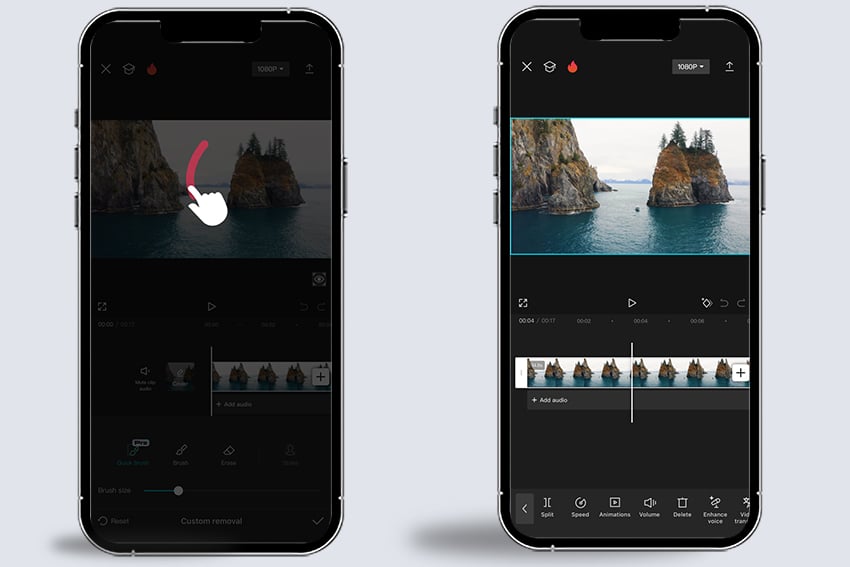
The real magic of CapCut Online lies in its heavy suite of automated features that save creators massive amounts of time. The platform features an incredibly accurate artificial intelligence captioning tool that can transcribe spoken words into clean on-screen subtitles instantly. It also provides a massive, built-in library of trending sound effects, royalty-free background music tracks, and smooth cinematic transitions. If you need to trim a long video down to a precise length or stitch multiple mobile clips together for a business promo, CapCut handles the task effortlessly without watermarking your final ten-eighty-p high-definition exports.
2. Canva: The Ultimate Visual All-in-One Workspace for Quick Brand Designs
What do you do when you need to design a professional marketing banner, edit a staff headshot, and assemble a promotional video slideshow all in the same afternoon? You open Canva, which has evolved from a simple graphic design webpage into a massive, comprehensive visual communication powerhouse. This browser-based tool is specifically designed for non-designers, small business owners, and corporate teams who need to generate high-quality visual assets quickly.

Canva features a beautifully organized video and image workspace that relies entirely on simple drag-and-drop actions. You can upload raw images, crop out unwanted background clutter with a single automated click, adjust brightness levels, and layer clean text overlays on top. For video editing, Canva allows you to split clips, arrange them in a neat storyboard sequence, and apply consistent brand colors and logos seamlessly. It is the ultimate tool for generating clean, visually appealing content that meets Google’s strict helpful content guidelines for professional presentation and trustworthiness.
3. Photopea: The Free Online Alternative That Works Exactly Like Photoshop
Do you need advanced, professional-grade image editing tools but simply cannot afford the steep monthly subscription fees of premium desktop software? Meet Photopea, an incredibly powerful web-based application that looks, feels, and operates almost exactly like Adobe Photoshop. This web tool runs entirely within your browser window without requiring any user registration, subscription fees, or system installations.
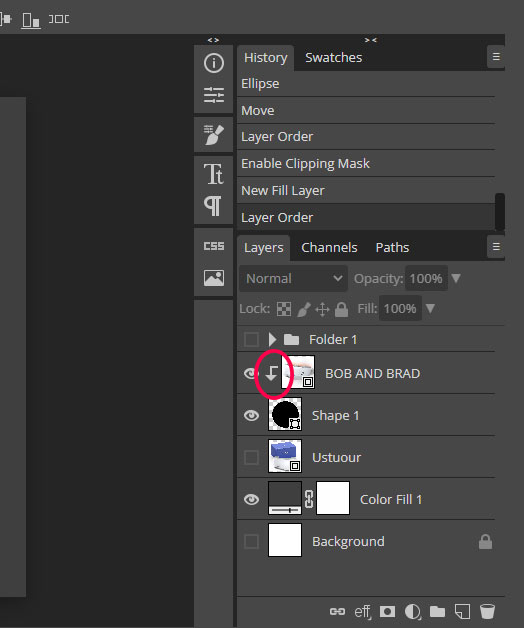
Unlike simpler web filters, Photopea gives you complete access to advanced photo manipulation features like layer masks, vector graphics, selection brushes, and complex color correction curves. You can open and edit native Photoshop files, modify existing graphic design templates, and crop images down to exact pixel dimensions for website optimization. It is highly favored by web developers because it allows you to compress large image files and export them in modern, fast-loading formats like WebP. Using Photopea ensures your website images look beautiful while keeping your page loading speeds fast enough to score highly on Google Search rankings.
4. Clipchamp: Microsoft AI Powered Video Editing Made Easy for Beginners
Did you know that Microsoft officially acquired Clipchamp and integrated its technology directly into the modern web ecosystem to simplify desktop video creation? This platform is an exceptional choice for educators, corporate presenters, and absolute beginners who find traditional timeline layouts completely overwhelming. The interface is clean, uncluttered, and focuses entirely on helping you get from a raw recording to a finished export as quickly as possible.
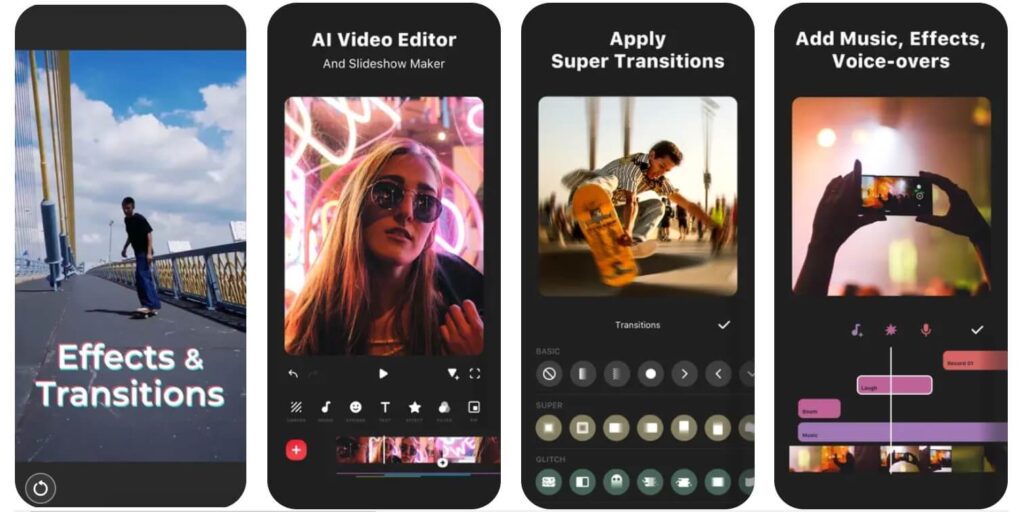
Clipchamp shines brightly due to its smart, built-in utility tools. It features a high-quality screen and webcam recorder that allows you to capture software tutorials or presentations directly from your browser tab. The platform also includes an intelligent text-to-speech generator that creates highly natural, human-sounding voiceovers in multiple languages and accents. If you need to cut out awkward silences from an interview, trim down a lengthy Zoom meeting recording, or arrange video files for a school project, Clipchamp delivers a smooth, lag-free performance every single time.
5. VEED.io: The Professional Browser Tool for Flawless Audio and Video Trimming
Have you ever recorded a great video clip only to realize later that the background noise from a ceiling fan or passing street traffic completely ruined the audio? VEED.io is a premium web-based video editor that has gained massive popularity among corporate creators due to its incredible AI-powered audio and video cleaning tools. It functions as a complete, highly professional studio that lives entirely inside your internet browser.
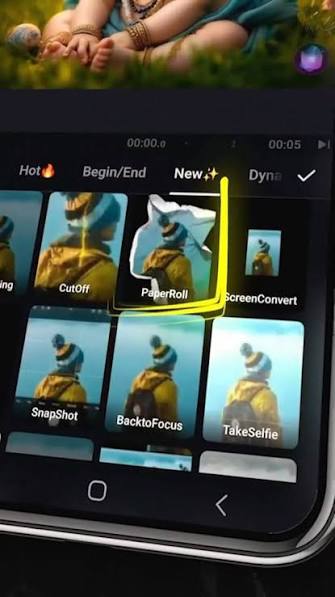
With VEED.io, you can upload a rough video file and use their one-click audio cleanup feature to instantly remove distracting background hums, pops, and long awkward pauses. The timeline allows you to chop up long video files with extreme pinpoint accuracy, arrange distinct scenes, and add stylish progress bars that keep viewer retention high. Furthermore, its automatic translation and text-based editing capabilities allow you to edit your video simply by deleting words from the generated text transcript. This level of technical efficiency is why top industry blogs consistently rank VEED.io as a must-use tool for producing high-value educational and marketing materials.
How Do You Choose the Perfect Web Tool for Your Specific Project?
Choosing the best platform does not have to be a complicated guessing game, it simply depends on what you are trying to create today. If your primary goal is to create fast, energetic video clips with trending music for social media audiences, CapCut Online is your best option. If you are a business manager trying to create a unified set of flyers, graphics, and short promo clips, Canva will keep your workflow perfectly organized in one place.
For deep, detailed photo retouching and background removal tasks, skip the basic apps and let Photopea handle the heavy layers. When you need to record your screen and create a clean presentation with automated voiceovers, open up Clipchamp. Finally, if you are looking to polish a professional interview by removing background noise and adding highly accurate subtitles, VEED.io is worth every single click. By pairing the right browser tool with your creative goals, you will save massive amounts of time, protect your computer’s health, and create gorgeous content completely free of stress.
Also Read: Google Tests Phone-Powered Cloud Servers by Turning Old Smartphones into Data Centers